Core Eventing in CAP
This guides introduces CAP's intrinsic support for emitting and receiving events in the very core of the runtimes' processing models.
Intrinsic Eventing in CAP
As introduced in About CAP, everything happening at runtime is in response to events, and all service implementations take place in event handlers. All CAP services intrinsically support emitting and reacting to events, as shown in this simple code snippet (you can copy & run it in cds repl):
let srv = new cds.Service
// Receiving Events
srv.on ('some event', msg => console.log('1st listener received:', msg))
srv.on ('some event', msg => console.log('2nd listener received:', msg))
// Emitting Events
await srv.emit ('some event', { foo:11, bar:'12' })
Intrinsic support for events
The core of CAP's processing model: all services are event emitters. Events can be sent to them, emitted by them, and event handlers register with them to react to such events.
Emitters and Receivers
In contrast to the previous code sample, emitters and receivers of events are decoupled, in different services and processes. And as all active things in CAP are services, so are usually emitters and receivers of events. Typical patterns look like that:
class Emitter extends cds.Service { async someMethod() {
  // inform unknown receivers about something happened
  await this.emit ('some event', { some:'payload' })
}}class Receiver extends cds.Service { async init() {
// connect to and register for events from Emitter
const Emitter = await cds.connect.to('Emitter')
Emitter.on ('some event', msg => {...})
}}Emitters vs Receivers
Emitters usually emit messages to themselves to inform potential listeners about certain events. Receivers connect to Emitters to register handlers to such emitted events.
Ubiquitous Events
A Request in CAP is actually a specialization of an Event Message. The same intrinsic mechanisms of sending and reacting to events are used for asynchronous communication in inverse order. A typical flow:

Asynchronous communication looks similar, just with reversed roles:

Event Listeners vs Interceptors
Requests are handled the same ways as events, with one major difference: While on handlers for events are listeners (all are called), handlers for synchronous requests are interceptors (only the topmost is called by the framework). An interceptor then decides whether to pass down control to next handlers or not.
Asynchronous APIs
To sum up, handling events in CAP is done in the same way as you would handle requests in a service provider. Also, emitting event messages is similar to sending requests. The major difference is that the initiative is inverted: While Consumers connect to Services in synchronous communications, the Receivers connect to Emitters in asynchronous ones; Emitters in turn don't know Receivers.

Blurring the line between synchronous and asynchronous API
In essence, services receive events. The emitting service itself or other services can register handlers for those events in order to implement the logic of how to react to these events.
Books Reviews Sample
The following explanations walk us through a books review example from cap/samples:
- @capire/bookshop provides the well-known basic bookshop app.
- @capire/reviews provides an independent service to manage reviews.
- @capire/bookstore combines both into a composite application.

Tip
Follow the instructions in cap/samples/readme for getting the samples and exercising the following steps.
Declaring Events in CDS
Package @capire/reviews provides a ReviewsService API, declared like that:
service ReviewsService @(path:'reviews/api') {

  /**
   * Summary of average ratings per subject.
   */
  @readonly entity AverageRatings as projection on my.Reviews {
    key subject,
    round(avg(rating),2) as rating  : my.Rating,
    count(*)             as reviews : Integer,
  } group by subject;

  /**
   * Informs about changes in a subject's average rating.
   */
  event AverageRatings.Changed : AverageRatings;
}
Learn more about declaring events in CDS.
As we can read from the definition, the service's synchronous API allows to read average ratings per subject; the service's asynchronous API declares the AverageRatings.Changed event that shall be emitted whenever a subject's average rating changes.
Tip
Services in CAP combine synchronous and asynchronous APIs. Events are declared on conceptual level focusing on domain, instead of low-level wire protocols.
Emitting Events
Find the code to emit events in @capire/reviews/srv/reviews-service.js:
  // Inform API event subscribers about new avg ratings for reviewed subjects
  const api = await cds.connect.to ('sap.capire.reviews.api.ReviewsService')
  this.after (['CREATE','UPDATE','DELETE'], 'Reviews', async function(_,req) {
    const { subject, rating, reviews } = await api.get ('AverageRatings', { subject: req.data.subject })
    return api.emit ('AverageRatings.Changed', { subject, rating, reviews })
  })
Learn more about srv.emit() in Node.js.Learn more about srv.emit() in Java.
Method srv.emit() is used to emit event messages. As you can see, emitters usually emit messages to themselves, that is, this, to inform potential listeners about certain events. Emitters don't know the receivers of the events they emit. There might be none, there might be local ones in the same process, or remote ones in separate processes.
Messaging on Conceptual Level
Simply use srv.emit() to emit events, and let the CAP framework care for wire protocols like CloudEvents, transports via message brokers, multitenancy handling, and so forth.
Receiving Events
Find the code to receive events in @capire/bookstore/srv/mashup.js (which is the basic bookshop app enhanced by reviews, hence integration with ReviewsService):
  // Update Books' average ratings when ReviewsService signals updated reviews
  ReviewsService.on ('AverageRatings.Changed', (msg) => {
    console.debug ('> received:', msg.event, msg.data)
    const { subject, count, rating } = msg.data
    // ...
  })
Learn more about registering event handlers in Node.js.Learn more about registering event handlers in Java.
The message payload is in the data property of the inbound msg object.
Tip
To have more control over imported service definitions, you can set the model configuration of your external service to a cds file where you define the external service and only use the imported definitions your app needs. This way, plugins like Open Resource Discovery (ORD) know which parts of the external service you actually use in your application.
In-Process Eventing
As emitting and handling events is an intrinsic feature of the CAP core runtimes, there's nothing else required when emitters and receivers live in the same process.

Let's see that in action...
1. Run CAP Server
Run the following command to start a reviews-enhanced bookshop as an all-in-one server process:
cds watch bookstoreIt produces a trace output like that:
[cds] - mocking ReviewsService { path: '/reviews', impl: '../reviews/srv/reviews-service.js' }
[cds] - mocking OrdersService { path: '/orders', impl: '../orders/srv/orders-service.js' }
[cds] - serving CatalogService { path: '/browse', impl: '../bookshop/srv/cat-service.js' }
[cds] - serving AdminService { path: '/admin', impl: '../bookshop/srv/admin-service.js' }

[cds] - server listening on { url: 'http://localhost:4004' }
[cds] - launched at 5/25/2023, 4:53:46 PM, version: 7.0.0, in: 991.573ms
As apparent from the output, both, the two bookshop services CatalogService and AdminService as well as our new ReviewsService, are served in the same process (mocked, as the ReviewsService is configured as required service in bookstore/package.json).
2. Add Reviews
Now, open http://localhost:4004/reviews to display the Vue.js UI that is provided with the reviews service sample:
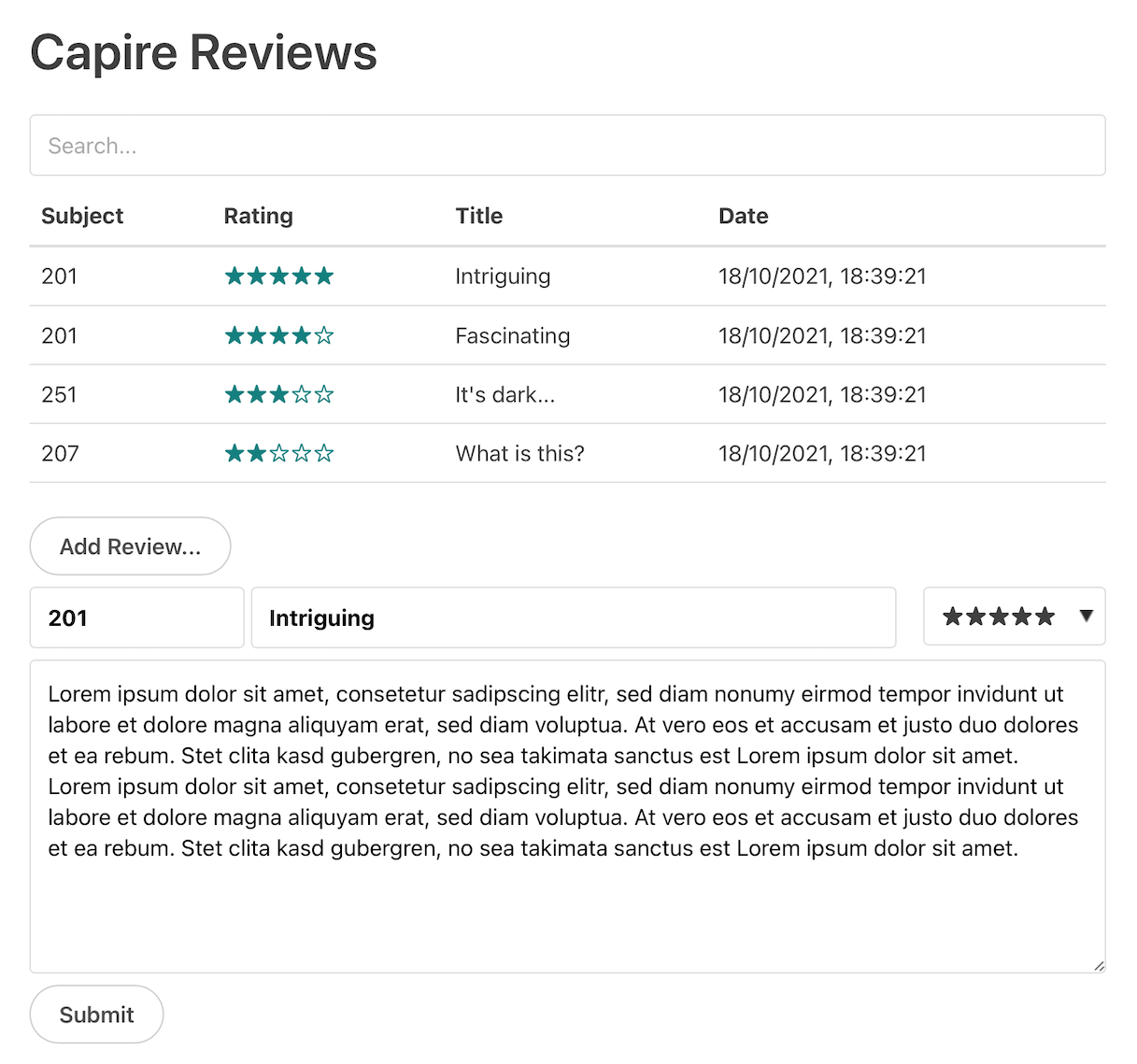
- Choose one of the reviews.
- Change the 5-star rating with the dropdown.
- Choose Submit.
- Enter bob to authenticate.
→ In the terminal window you should see a server reaction like this:
[cds] - PATCH /reviews/Reviews/148ddf2b-c16a-4d52-b8aa-7d581460b431
< emitting: reviewed { subject: '201', count: 2, rating: 4.5 }
> received: reviewed { subject: '201', count: 2, rating: 4.5 }
Which means the ReviewsService emitted a reviewed message that was received by the enhanced CatalogService.
3. Check Ratings
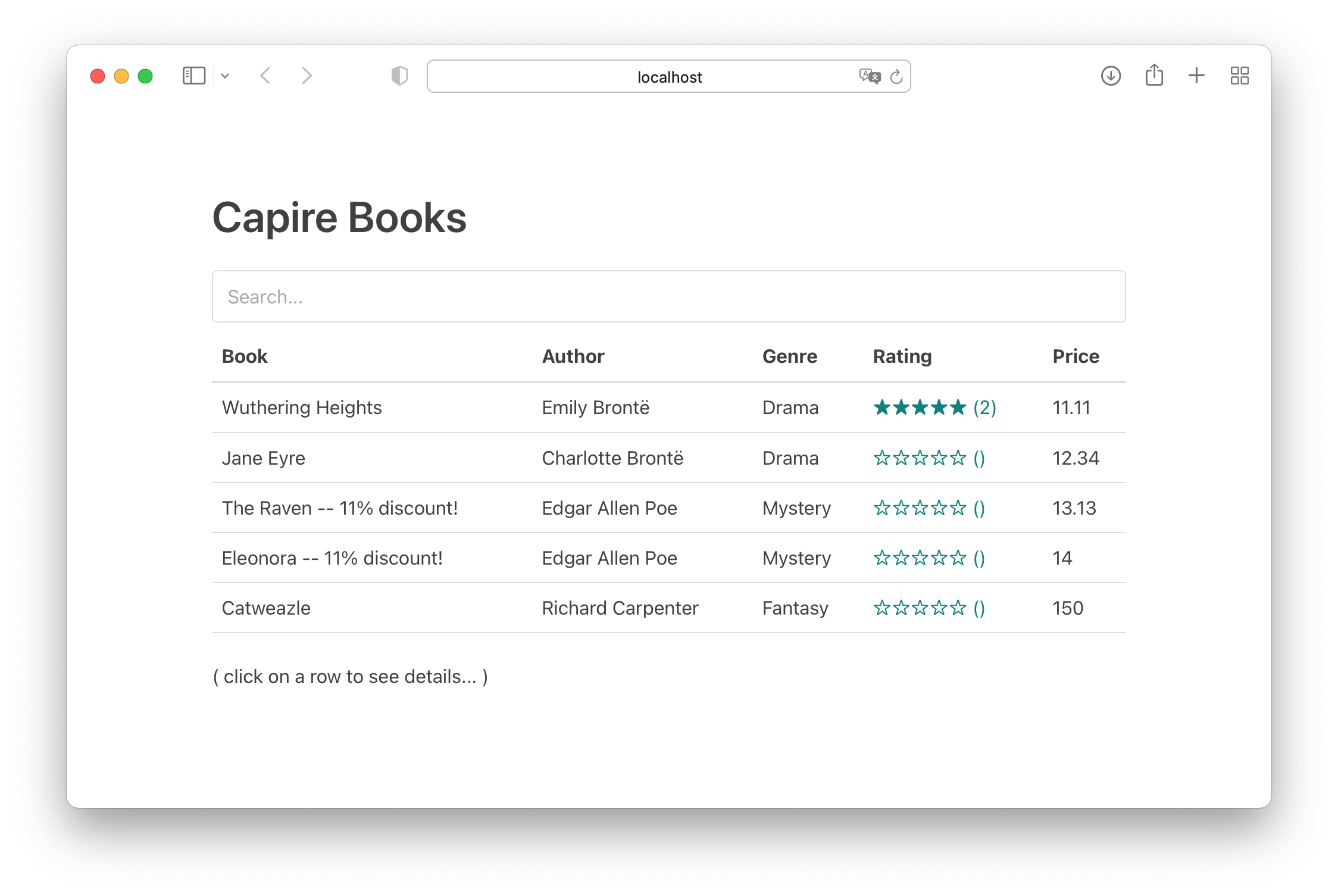
Open http://localhost:4004/bookshop to see the list of books served by CatalogService and refresh to see the updated average rating and reviews count: